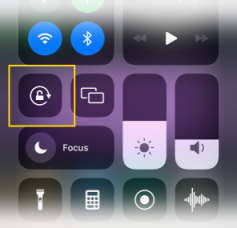
Landscape view provides the best experience and the most real estate on the screen to view the patient.
Tilt your phone to landscape view during your video visit so you and your patient have a full screen view of each other.
If your phone does not automatically reorient to landscape when you tilt, verify you have any "auto-rotate" settings enabled on your device.
- Android
- Most devices: Open Settings > Accessibility > Turn on Auto-rotate screen.
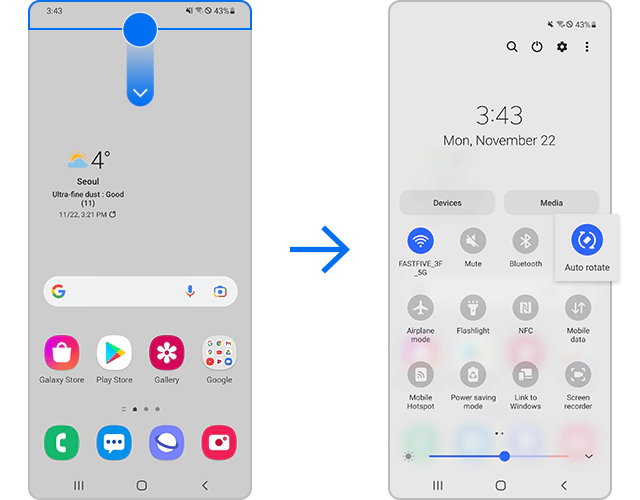
- Samsung Galaxy devices: Swipe down on screen to access Quick Settings, ensure Auto rotate is enabled (should be a dark background and not gray).
- iPhone
-
- Open the Control Center.
- With Face ID: Swipe down from top-right corner of screen
- With a Home Button: Swipe up from the bottom edge of the screen
- Make sure Portrait Orientation Lock is not enabled (should be black background and not white).
- Open the Control Center.
-