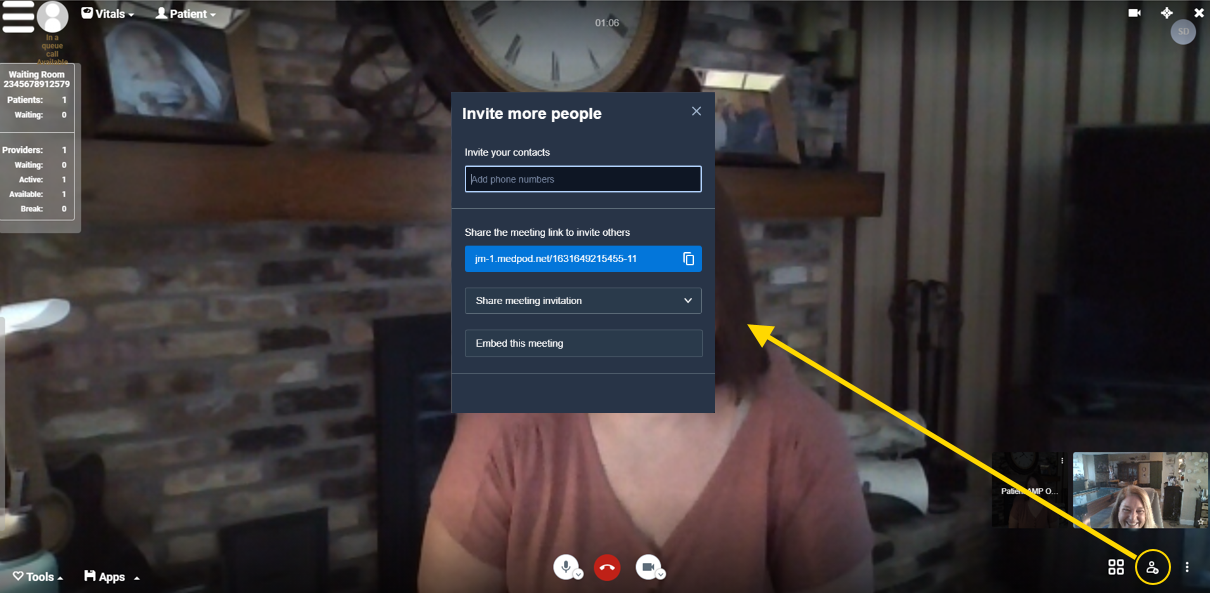
You (or the patient) can invite more members of the patient's family, counselors, other members of the patient's care team—up to nine additional participants.
In the lower righthand corner of the visit video, click the add participant image to send the link to other people.
In general, you will use one of two options:
- You can invite people from your device's contact list. Just search for their name under Invite your contacts.
- You can click the copy icon under Share the meeting link invite with others.