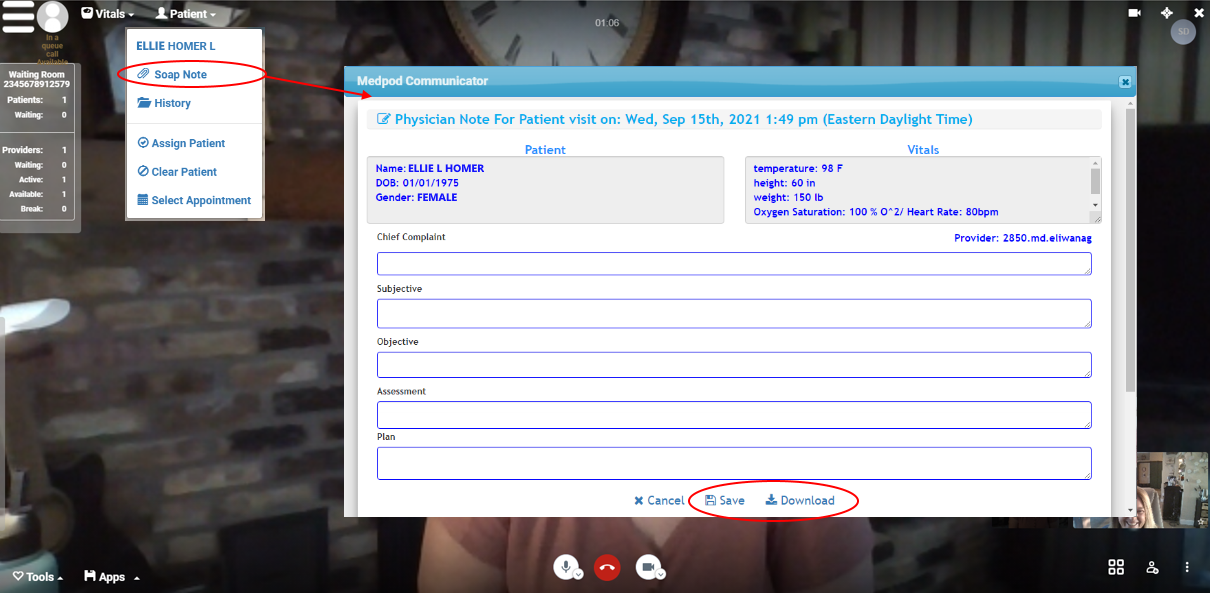
The SOAP Note feature enables you to add a quick note while you conduct the video visit.
If you use the SOAP Note feature, you MUST copy/paste any text you add there into a new document or into your EMR BEFORE you hang up and end the visit or you will lose that data.
We recommend that providers have both Medpod Video Visits and their full EMR open while conducting the visit to do EMR documentation during the visit. However, if you cannot access your EMR during the visit, you can record a short SOAP note that you can then download as a PDF and attach to the patient's chart in your EMR or use for data entry into your EMR.
At the top of the visit screen, click the Patient option and select Soap Note.