To change your password, you need your existing password. If you have forgotten your password, contact Medpod Support at medpodsupport@henryschein.com to reset your password. Once reset, the system prompts you to create a new password when you successfully login with the temporary password.
- Log in to Medpod.
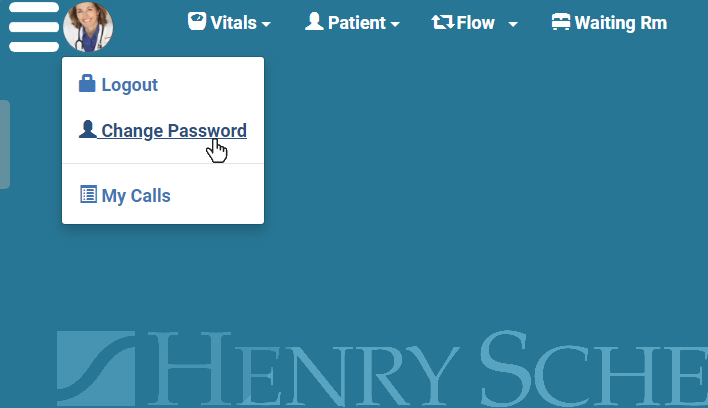
- Click your profile picture and select Change Password.
- Enter your Current Password.
- Enter a New Password and confirm it.
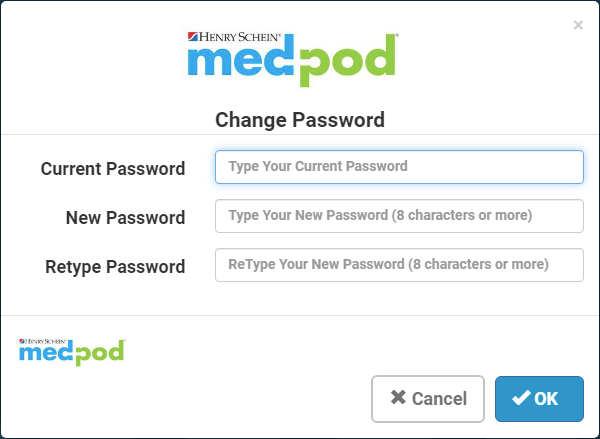
- Click OK.